


If you have searched for “txmyzone,” you may have noticed that the internet gives several different answers about what the term means. Some websites describe TxMyZone as a student portal, while others call it a general digital platform, productivity tool, community service, or even something completely unrelated.
This creates an important problem: not every page using the name TxMyZone is describing the same thing.
The most reliable evidence shows that lowercase-style “txMyZone” has been used as a student-facing application within the Texas Enterprise Information System, commonly known as TxEIS. Texas Education Service Center resources list txMyZone alongside other TxEIS applications such as txConnect and txGradebook for participating school districts.
At the same time, there is also a website using the domain txmyzone.com. That website currently describes itself as a resource blog covering education, technology, lifestyle, travel, health, food, and other topics.
Because these two uses can be confused, this article focuses on the documented educational meaning of txMyZone while also explaining the separate txmyzone.com website. The goal is to help students, parents, educators, and general internet users understand the term, identify the correct service, avoid fake login pages, and make safer decisions online.
What Is TxMyZone?
TxMyZone is best known in the Texas education context as a web-based student course-request and academic planning application associated with TxEIS.
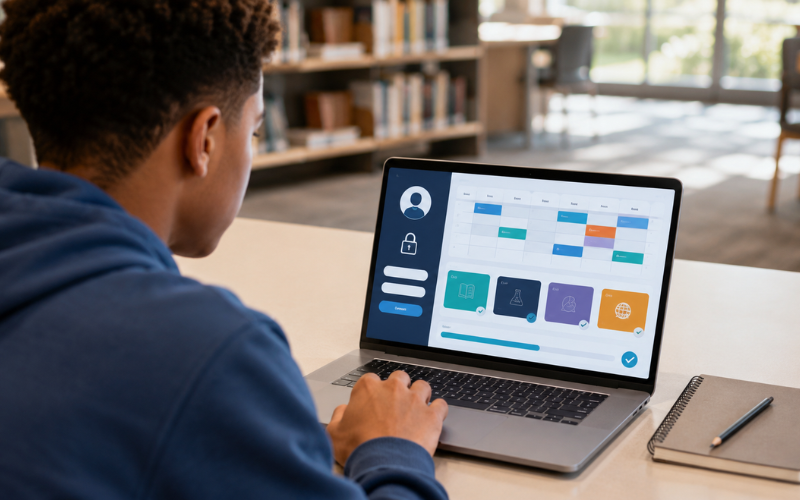
Its main purpose was to help students request courses for an upcoming school year. Official TxEIS scheduling documentation explains that secondary campuses with the txMyZone application could allow students to request courses online, after which those requests could be imported into the district’s scheduling process.
Older TxEIS training material also describes txMyZone as a system that allowed students to organize and plan their class schedules by requesting courses for the next school year and creating a customized graduation plan.
In simple terms, TxMyZone was designed to move part of the school scheduling process online.
Instead of completing every course request on paper, a participating school could give students access to an online system where they could review available choices and submit requests.
This made the scheduling process easier to organize for students, counselors, and school administrators.
What Does the “Tx” in TxMyZone Mean?
The name can be confusing because “TX” is widely used as an abbreviation for Texas.
In the educational context, the connection to Texas is important. txMyZone appeared within the TxEIS environment used by Texas educational organizations.
However, users should not assume that every website containing the word “TxMyZone” is an official Texas education service.
A domain name alone does not prove that a website belongs to a school district or education agency.
This distinction is especially important when a website asks for a username, password, student identification number, birth date, or other personal information.
What Is TxEIS?
TxEIS stands for Texas Enterprise Information System.
It is a broader school administration environment associated with Texas education organizations. The system includes different applications designed for different users and school functions.
Also Read: Report Application Server: A Complete Guide
Public TxEIS information from Education Service Center Region 1 lists applications including TxEIS, txConnect, txGradebook, txMyZone, and Employee Access for participating districts and organizations.
The easiest way to understand the relationship is to think of TxEIS as the larger school information environment.
Different applications can then provide different types of access.
For example:
- Administrators may use core administrative functions.
- Teachers may use grade-related tools.
- Parents may use parent-facing services.
- Students may use student-facing tools such as txMyZone where supported.
- Staff may use employee-related services.
This structure helps schools separate responsibilities while keeping important academic information connected.
What Was TxMyZone Used For?
The clearest documented use of txMyZone was course selection and academic planning.
Students could use the system to participate in the scheduling process for the next academic year.
Depending on the version and district configuration, the system could support activities such as course requests and graduation planning. Historical TxEIS documentation specifically describes students using txMyZone to request future courses and create customized graduation plans.
This is different from a normal learning management system.
A learning management system might focus on lessons, homework, classroom discussions, quizzes, and educational materials.
TxMyZone’s documented role was more closely connected to academic planning and scheduling.
How TxMyZone Fits Into the School Scheduling Process
School scheduling can be complicated.
A high school may have hundreds or thousands of students choosing classes. Each student can have different graduation requirements, interests, grade levels, prerequisites, and academic goals.
Schools must then combine those requests into a workable master schedule.
The older TxEIS documentation shows how txMyZone fit into this process. Students could submit course requests through the application, and those requests could then become part of the district’s broader scheduling workflow.
This created a bridge between the student’s choices and the school’s administrative scheduling process.
That is one reason a system like TxMyZone can be useful.
Who Uses TxMyZone?
TxMyZone is not a general-purpose website that every person in the United States can simply sign up for.
Its educational use depends on the school district.
Public TxEIS listings show multiple Texas districts and educational organizations with txMyZone access alongside other TxEIS services.
Some school websites also continue to list TxMyZone among student resources.
For example, Nocona Independent School District includes TxMyZone in its parent and student quick links, while Kress Independent School District also lists TxMyZone among its student resources.
This means access is normally controlled by the school or district.
If your school does not use the system, you generally cannot create an independent TxMyZone account simply because you found the name online.
Is TxMyZone Available in Every Texas School?
No.
Texas has many independent school districts and educational organizations, and they do not all use the same software.
The public TxEIS district listing shows numerous participating organizations, but the existence of TxMyZone in some districts does not mean that every Texas school uses it.
A school can also change software over time.
This is important because old pages may continue to appear in Google even after a district has moved to a newer platform.
For current information, always follow the latest instructions from your school district.
Is TxMyZone Still Used?
This is one of the most important questions for people searching for TxMyZone in 2026.
The answer is not identical for every school.
Some Texas school websites still display TxMyZone links, and public TxEIS resources continue to list the application for participating organizations.
However, other districts have moved toward newer ASCENDER student and parent portal systems.
For example, Crystal City Independent School District currently identifies ASCENDER Parent Portal while also showing “Student Course Request: txMyzone,” demonstrating that older and newer terminology can appear together during or after software transitions.
Therefore, the safest answer is:
TxMyZone remains a name associated with Texas school systems, but whether it is the correct current portal for a particular student depends on that student’s district.
Do not assume that an old TxMyZone login page is still the correct place to sign in.
TxMyZone vs. ASCENDER
One reason people become confused about TxMyZone is the transition from older TxEIS tools toward ASCENDER-related services.
ASCENDER is part of the modern school software environment used by Texas educational organizations.
Some districts now direct students and parents to ASCENDER portals rather than older applications.
This creates a common situation:
A student searches Google for “txmyzone login,” finds an older page, and assumes it must be the current portal.
That assumption can be wrong.
The correct approach is to check the school district’s current website.
If the district says students should use ASCENDER StudentPortal, use that current district-provided link instead of an old TxMyZone page.
If the district still provides a verified TxMyZone link, follow that link.
The school district’s current instructions should always take priority over an unrelated article.
What Can Students Do With TxMyZone?
The exact features can depend on the district and software version.
Historically documented functions include course requests and graduation planning.
A student may therefore encounter functions related to:
Course Requests
Students can select or request classes they want to take during a future school year.
These requests can help counselors and administrators build schedules.
Graduation Planning
Historical documentation describes the ability to create a customized graduation plan.
This can help students think about the courses they need to complete their academic requirements.
Schedule Organization
Course planning naturally connects with schedule development.
The purpose is not simply to let students pick random classes. Course choices must fit academic requirements and available school offerings.
Academic Communication
A district may provide instructions or messages through its student-facing system.
However, students should not assume that every version of TxMyZone contains the same communication or grade features described on third-party websites.
Feature claims should be verified through the school or official documentation.
Is TxMyZone the Same as a Regular Student Portal?
Not necessarily.
The phrase “student portal” is broad.
Many different systems can be called student portals, including platforms for grades, attendance, assignments, registration, schedules, transportation, and communication.
TxMyZone’s documented historical role was narrower.
Its strongest documented connection is student course requests and academic planning within the TxEIS environment.
Some online articles claim that TxMyZone is a complete student dashboard with every possible academic feature.
Those claims should be treated carefully.
A useful rule is to distinguish between:
- What official documentation confirms.
- What a specific school district says it provides.
- What a third-party website claims.
Only the first two should normally be relied upon when making decisions about school access.
How to Find the Correct TxMyZone Login
There is no good reason to search randomly for a login page when dealing with a school account.
The safest method is to start with your school district.
Step 1: Visit Your School District Website
Use the official website provided by your school.
Look for sections such as:
- Students
- Parents
- Student Resources
- Parent Resources
- Student Portal
- Technology
- Online Services
Step 2: Look for the Current Portal
The district may call the service TxMyZone, ASCENDER, StudentPortal, or another name.
Use the name and link provided by the district.
Step 3: Check With the School if You Are Unsure
If you cannot find the portal, contact your school’s front office, counselor, or technology department.
They can tell you which system is currently active.
Step 4: Check the Web Address
Before entering a password, examine the website address.
A school-provided link should lead to the expected district or education service.
Be cautious if the page suddenly redirects to an unfamiliar domain.
Step 5: Never Trust a Random Login Advertisement
Search engines can display advertisements and third-party pages.
A page appearing near the top of search results does not automatically mean it is an official login page.
Why Searching “TxMyZone Login” Can Be Risky
Education accounts can contain valuable personal information.
Depending on the system, school records may include names, schedules, academic information, contact information, or other student data.
That makes student portals attractive targets for phishing.
A fake login page may look almost identical to a real one.
The goal is usually to persuade users to enter credentials.
Once entered, those credentials could potentially be used against the student, parent, or school organization.
This is why the correct login link matters more than simply finding a page that says “TxMyZone Login.”
How to Recognize a Fake TxMyZone Login Page
Watch for warning signs.
An Unfamiliar Domain
If the website address has nothing to do with your school district or recognized education provider, stop and verify it.
Unexpected Payment Requests
A school scheduling portal should not suddenly require you to pay money simply to view a course request page.
Requests for Excessive Information
Be careful if a page asks for sensitive information that your school never requested.
Strange Downloads
Do not install unknown software or browser extensions just to access a student portal.
Urgent Threats
Messages such as “Your account will be deleted today” or “You must verify immediately” can be signs of phishing.
Poor Website Quality
Typos, broken pages, strange advertisements, unrelated articles, and suspicious pop-ups can all be warning signs.
One warning sign alone does not prove a website is fraudulent, but several together should make you stop.
Privacy and TxMyZone
Student information deserves careful protection.
A school portal can be different from an ordinary entertainment website because it may connect to educational records.
Students and parents should understand what information they are sharing and why.
The separate txmyzone.com website has a published privacy policy saying it may collect information such as names, email addresses, phone numbers, mailing addresses, IP addresses, browser information, pages visited, device information, and cookie-related information. It also states that third-party providers may be involved in services such as hosting, analytics, advertising, email marketing, and payments where applicable.
This privacy policy applies to the website at txmyzone.com. It should not automatically be treated as the privacy policy for a school district’s txMyZone system.
That distinction is extremely important.
The same name can refer to different digital services.
Is TxMyZone Safe?
There is no simple yes-or-no answer because “TxMyZone” can refer to different things.
If your school district provides a verified TxMyZone link and you access it through the school’s official instructions, that is very different from entering your credentials into an unrelated website that happens to use the same keyword.
Safety depends on:
- The exact website.
- Who operates it.
- How you reached it.
- What information it requests.
- Whether your school confirms the link.
- Whether the site uses appropriate security measures.
- Whether your account has strong password protection.
The safest habit is to verify the source before logging in.
TxMyZone and Digital Literacy
The confusion surrounding this keyword provides a useful digital literacy lesson.
People often believe that the first Google result is automatically the correct answer.
It is not.
Search engines organize information, but they do not guarantee that every result is authoritative.
For an unfamiliar service, users should compare information across reliable sources.
For TxMyZone, that means looking at:
- Your school district website.
- Texas education service resources.
- Official school communications.
- Current portal instructions.
- The actual website address.
This approach is much stronger than trusting an article simply because it uses confident language.
Why There Are So Many Different Descriptions of TxMyZone Online
A search for TxMyZone produces surprisingly different explanations.
One reason is that unusual keywords can attract large amounts of SEO-focused content.
When a term has limited public documentation, websites may publish articles trying to capture search traffic.
Some of these pages repeat claims from other pages.
Over time, an unsupported description can begin to look legitimate simply because several websites repeat it.
This creates an important SEO lesson: repetition does not equal verification.
For users, the solution is to trace a claim back to a primary source.
In the case of txMyZone, official TxEIS resources and school district pages provide much stronger evidence than generic blogs.
What About Txmyzone.com?
There is a separate website located at txmyzone.com.
Its own About page describes TxMyZone as a digital resource and blog. It says the site covers areas such as productivity, technology, mental wellness, education, and lifestyle.
The homepage currently contains articles about subjects including skincare, food, travel, technology, and education.
This is different from saying that the domain is the official login portal for every Texas student.
The website’s content and the historical school application share a similar name, but users should not assume they are the same service.
This is perhaps the most important point in this entire article.
If you are a Texas student looking for your school’s academic portal, do not assume that the domain txmyzone.com is automatically your school login.
Verify the link with your school district.
Why the Difference Matters
Imagine a student receives a message saying:
“Log in to TxMyZone to select your classes.”
The student searches for TxMyZone and finds several websites.
One may be a general blog.
Another may be an old school resource.
Another may be an official district portal.
Only one may be correct for that student’s school.
Using the wrong website can lead to confusion at best and credential theft at worst.
This is why identifying the operator of a service is more important than recognizing its name.
Common TxMyZone Search Intent
People searching for TxMyZone may have very different goals.
Common search intentions include:
“What is TxMyZone?”
These users want a basic explanation of the term.
“TxMyZone login”
These users may be trying to access their school system.
“How does TxMyZone work?”
These users may want to understand course selection or academic planning.
“Is TxMyZone still used?”
These users may have found an old school link or older instructions.
“TxMyZone student portal”
These users may be trying to identify whether the system is connected to their school.
“TxMyZone vs. ASCENDER”
These users may be trying to understand a software transition.
Understanding search intent is useful because not every user needs the same answer.
Someone looking for a login link needs a verified school source.
Also Read: Adstotally.com: A Comprehensive Guide
Someone researching the term needs historical and technical context.
Benefits of Online Course Request Systems
Even though technology changes, the basic idea behind online course planning remains useful.
Less Paperwork
Digital course requests can reduce manual forms.
Faster Processing
Schools can collect requests electronically and move them into scheduling workflows.
Better Organization
Digital records are easier to sort and review than large stacks of paper.
Student Participation
Students can play a more direct role in planning their academic path.
Easier Long-Term Planning
Graduation planning tools can help students think about requirements before registration deadlines.
Better Administrative Coordination
Counselors and administrators can use course requests to understand student demand.
These benefits explain why school districts continue to use digital student information systems even as individual applications change.
Limitations of TxMyZone
No technology system solves every scheduling problem.
Students still need guidance.
A student may choose a course without realizing that it has a prerequisite.
Another student may request too many classes from the same time period.
A graduation plan may also need to change because of academic progress, transfers, changing interests, or school requirements.
Therefore, students should not treat an online portal as a replacement for counselors and teachers.
Technology can organize information, but people still provide important context.
What Parents Should Know About TxMyZone
Parents may encounter the term while helping a child choose classes.
The most useful step is to understand whether the school currently uses TxMyZone or a newer system.
Parents should ask:
- Which portal does the school currently use?
- Where is the official login link?
- What information can students change themselves?
- When are course requests due?
- Who should be contacted if a course request is incorrect?
- How does the school handle graduation planning?
These questions can prevent confusion, especially when an old portal remains listed on a school website.
What Students Should Know About Course Requests
Choosing classes is more than clicking boxes.
Before submitting course requests, students should consider:
- Graduation requirements.
- Required subjects.
- Prerequisites.
- Academic interests.
- Career goals.
- College preparation.
- Course workload.
- Teacher or counselor recommendations.
- The school’s available courses.
Students should review their choices carefully before submitting them.
A course request may influence the master schedule even though it does not always guarantee that a student will receive a particular class.
What to Do If Your TxMyZone Login Does Not Work
If a verified school link is not working, do not immediately assume that your account has been hacked.
Several ordinary problems can cause login issues.
The school may have changed systems.
The portal may be temporarily unavailable.
Your password may have expired.
The school may have moved course selection to another application.
Your account may require activation.
Try these steps:
- Return to your school district’s official website.
- Confirm that the link is current.
- Check recent school messages.
- Try the official password-reset process if available.
- Contact the school’s technology department if the issue continues.
Avoid downloading unofficial “login repair” software.
Should You Save Your TxMyZone Password in a Browser?
That depends on the device and account environment.
On a personal device with strong device security, a reputable password manager can be convenient.
On a shared school computer, however, you should be more careful.
Never save your password on a public computer or a device used by many people.
Also avoid using the same password for your school account and important personal accounts.
A compromised school password can become more dangerous if it is reused elsewhere.
Strong Password Practices for Students
Students should use passwords that are:
- Long enough.
- Difficult for other people to guess.
- Unique to the account.
- Not based on obvious personal details.
If the school supports multi-factor authentication, students should use it when required or available.
Students should also avoid sharing passwords with friends.
Even if someone says they need your password “just for a minute,” giving another person account access can create serious problems.
Legal and Privacy Considerations
Student information is sensitive.
Schools in the United States operate under education privacy rules and other applicable laws and policies.
The exact rights and responsibilities can depend on the school, the type of information, and the applicable legal framework.
For students and parents, the practical lesson is straightforward:
Do not share educational account credentials with strangers.
Do not upload school records to random websites.
Do not provide sensitive student information to an unverified service simply because it uses the TxMyZone name.
When you need information about your child’s educational records or account, use the school’s official channels.
How to Evaluate TxMyZone Information Online
When researching TxMyZone, use a simple source-checking method.
Check the Source
Is the information from a school district, education service center, government agency, or unrelated blog?
Check the Date
Older information may describe an earlier version of the system.
Check the Evidence
Does the page provide a real school or education organization that confirms the claim?
Check the Domain
Does the website belong to the organization it claims to represent?
Compare Sources
One article is rarely enough when account access or student data is involved.
This approach is useful not only for TxMyZone but for almost any unfamiliar online platform.
TxMyZone and SEO: Why Search Results Can Be Confusing
The TxMyZone keyword is also an interesting example of how search engine optimization can affect information quality.
When a rare keyword becomes popular, many websites may create pages targeting it.
Some articles may be based on original research.
Others may simply repeat information from previous articles.
This can produce what looks like a large body of evidence even when the underlying evidence is weak.
For readers, the best defense is source quality.
For content creators, the better SEO strategy is also clear: provide original information, distinguish confirmed facts from assumptions, cite reliable sources, and explain uncertainty.
That is especially important for educational topics.
Also Read: TechTrendery.com USA: The Technology, Business, and Digital Lifestyle Website
Frequently Asked Questions About TxMyZone
1. Does TxMyZone require a special mobile app?
Not necessarily. The historically documented txMyZone system was web-based, and access depended on the school or district. If your school currently uses a different student portal, follow the district’s current instructions rather than downloading an app from an unofficial source.
2. Can a student change a submitted TxMyZone course request?
The answer can depend on the school’s configuration and scheduling period. Students should contact their counselor or school office if they need to change a submitted request. Do not assume that every district has the same editing rules.
3. Does TxMyZone determine a student’s final class schedule?
No system should be assumed to guarantee a final schedule simply because a student submits a course request. Course requests are part of the scheduling process, while the final schedule depends on school requirements, available sections, staffing, conflicts, and administrative decisions.
4. Can someone outside Texas use the TxMyZone school system?
The documented educational use is connected to participating Texas educational organizations. It is not a general nationwide student service. If a person outside Texas encounters the name, they should identify which specific website or service the reference concerns.
5. Is the TxMyZone name connected to the Myzone fitness brand?
The names are similar, but similarity does not establish that two services are related. Users should check the exact website, organization, and purpose before assuming two similarly named services are part of the same company or platform.
Conclusion: Key Takeaways About TxMyZone
TxMyZone is a confusing search term because it can refer to more than one online presence.
In the Texas education context, txMyZone is documented as a student-facing application associated with TxEIS. Its strongest documented purpose was helping students request courses and plan academic programs, including graduation planning in historical versions of the system.
Public Education Service Center resources continue to show txMyZone among the applications used by participating Texas school districts and educational organizations.
However, not every Texas school uses the same system, and some districts have moved toward newer ASCENDER-based portals. School websites may also retain older TxMyZone links after technology changes.
There is also a separate website at txmyzone.com that describes itself as a general resource blog. Its current content covers many subjects, including education, technology, travel, food, health, and lifestyle.
The most important lesson is therefore simple: do not identify a website solely by its name.
If you are looking for a TxMyZone login, start with your school’s official website. Verify the current portal before entering a password or personal information. If the district now uses ASCENDER or another system, use the current system instead of an outdated TxMyZone page.
For students and parents, good digital habits matter just as much as knowing how a school portal works. Verify links, protect passwords, question unexpected requests for personal information, and rely on official school communications whenever possible.
Ultimately, TxMyZone is best understood not as one universal website for everyone, but as a term with a documented history in Texas school technology and a separate modern online presence. Understanding that difference can help users find the right information, avoid misleading search results, and protect their academic information online.